What the option does
Elementor loads CSS for lots of widgets on every page, including ones that are not used at all. “Remove Unused CSS” sends your page’s address to a WP Rocket service. It fetches the page and its CSS files, checks which rules are really needed and sends back a cleaned-up CSS. WP Rocket embeds it directly in the page and drops the original CSS files.
For us, 30 CSS files became one embedded CSS of 146 KB plus a few remaining files. Calculating it takes about a minute per page and runs in the background.
The measurements
| WP Rocket defaults | + Remove Unused CSS | |
|---|---|---|
| Mobile load time (LCP) | 4.72 s | 4.46 s |
| Desktop load time (LCP) | 1.20 s | 1.15 s |
| Lighthouse score mobile | 81 | 83 |
| Page weight | 736 KB | 713 KB |
| Requests | 66 | 46 |
| Requests to outside servers (Google Fonts) | 7 | 13 |
| Menu, slider, accordion, form, popup | work | work |
The gain is small but real: about 0.26 seconds on mobile. In a second series on the same day it was 0.10 seconds (4.54 → 4.44). Differences below about 0.15 seconds are within our noise. The number of requests is clearer: 20 fewer.
One side effect: requests to Google went up from 7 to 13, because the browser now requests the Google fonts differently. If you host the fonts yourself (host Google Fonts locally), that disappears. With our recommended WP Rocket setup there were 0 outside requests.
Does the layout stay intact?
That is the biggest worry with this option. We took screenshots on mobile with and without it: the top of the page, with the menu open and with the popup open. All three looked the same. Even the button color, which comes from Elementor’s global colors, was right.
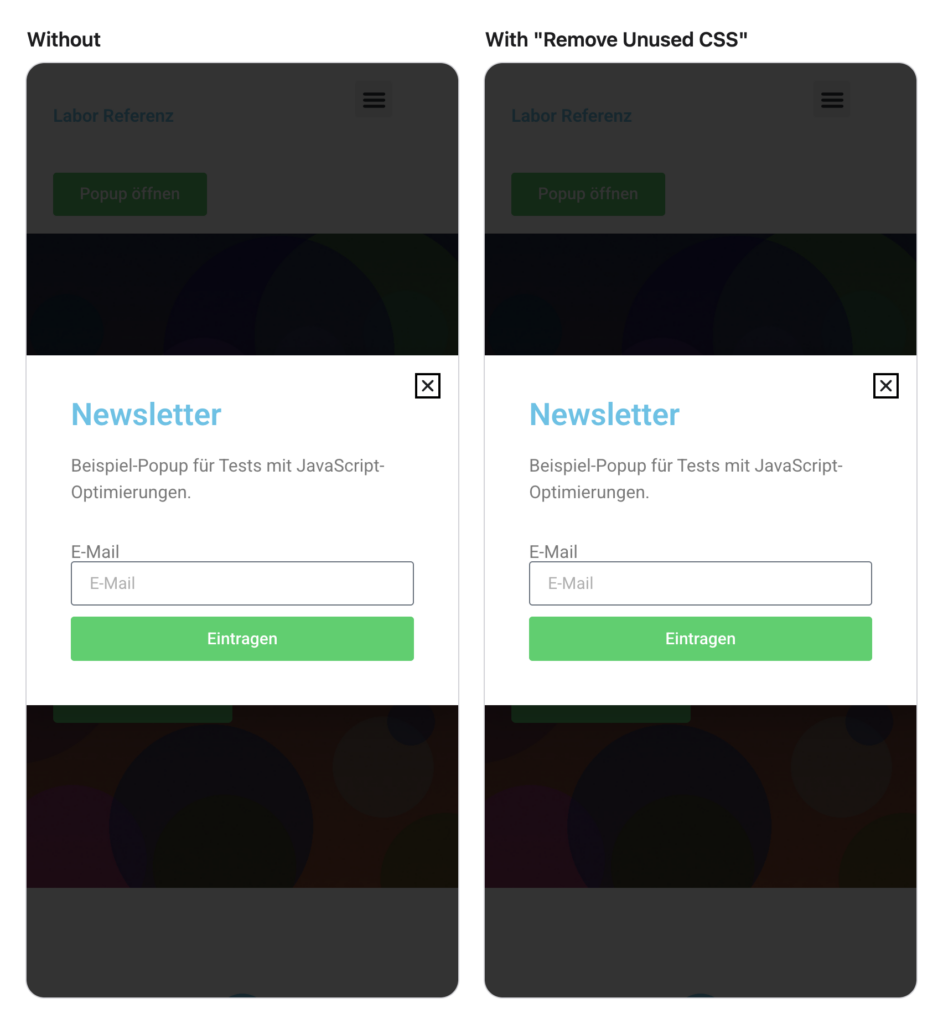
If something is still missing on your site, usually elements that only appear after a click or after loading, use the CSS safelist. There you enter classes, IDs or whole CSS files that WP Rocket should never remove.
Turning it on and setting exceptions
- Open Settings → WP Rocket → JavaScript & CSS.
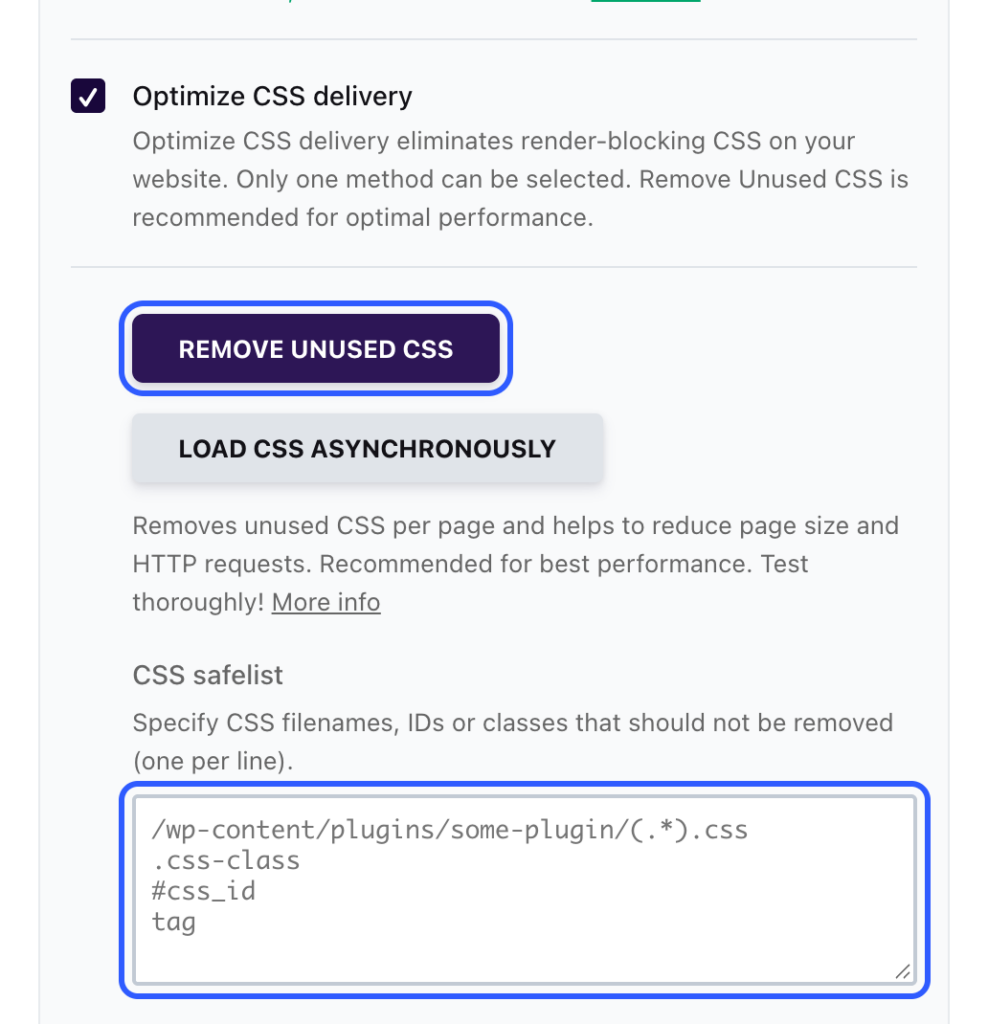
- Under CSS Files, turn on Optimize CSS delivery and choose Remove Unused CSS.
- If something goes missing later, add it to the CSS safelist field, one entry per line, for example
.elementor-popup-modalor/wp-content/plugins/my-plugin/(.*).css. - Click Save Changes and Optimize at the bottom.
- Wait a few minutes and check the page on your phone in a private window: top of the page, menu, popups, forms.
When you are better off without it
- Behind password protection or on a staging copy, see above. Or allow WP Rocket’s servers to fetch the files.
- If you change global styles often: after changing colors or fonts in the site kit, you also have to click Clear Used CSS, otherwise visitors see the old version. Tested in Clear the cache with WP Rocket and Elementor.
- If privacy matters to you: the address of every page goes to WP Rocket’s servers, which then fetch it. For public pages that is usually harmless, but you should still mention it in your privacy policy.
All other settings for Elementor are in WP Rocket settings for Elementor.
For the technically curious: setup and raw data
- Lab: WordPress 7.1.4, PHP 8.4, Hello Elementor 3.5.2, Elementor 4.3.6, Elementor Pro 4.3.2, WP Rocket 3.24, shared hosting at All-Inkl. Methodology
- States: WP Rocket with all defaults of a fresh install, then additionally
remove_unused_css. Before measuring, we waited until the cleaned-up CSS was ready and checked that it was not empty (146 KB in thewpr-usedcssblock). - Measurement: Lighthouse 13.5.0, 5 runs each on mobile (throttled) and desktop, median. Second series on the same day: 4.54 → 4.44 seconds on mobile.
- Visual check: Chrome in mobile view, screenshots of the top, with the menu open and with the popup open, plus the button color actually displayed. Function test (menu, slider, accordion, form, popup) passed.
- Our own mistake first: our lab is behind password protection. At first, the WP Rocket service was only allowed to fetch the page, not its CSS, JavaScript and font files. WP Rocket reported “completed”, but the CSS was empty. Since November 8 we allow static files for WP Rocket’s IP addresses and check the size of the cleaned-up CSS automatically.
- Raw data: rohdaten.csv. Measured on November 8, 2026.