What the option does
WP Rocket has two settings with almost the same name. They do very different things:
- Load JavaScript deferred: scripts download right away but only run once the HTML is ready. That is harmless and helps a lot. We recommend it with jQuery as an exclusion, see WP Rocket settings for Elementor.
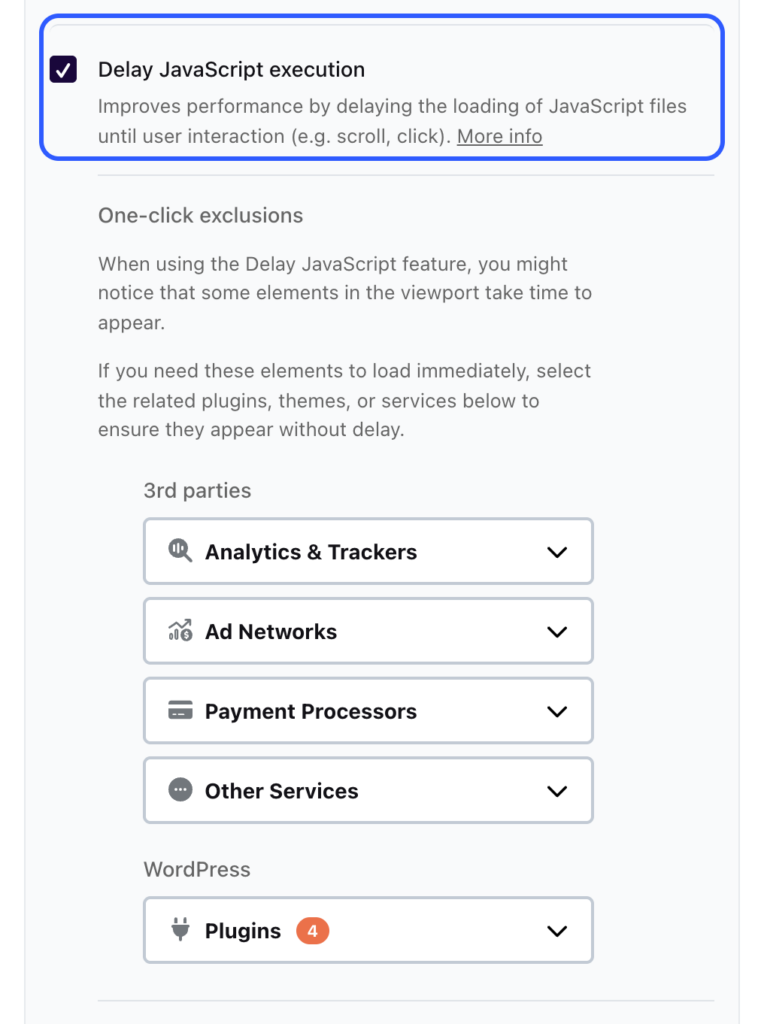
- Delay JavaScript execution: scripts do not load at all until someone touches the page, scrolls, presses a key or moves the mouse. This article is about this option.
The idea: whatever you do not need at first glance should not slow down the page. On an Elementor site, though, almost everything that moves or opens is JavaScript: menu, slider, accordion, popups, entrance animations.
The measurements
We measured our Elementor test page in three states. Each time, the base was our recommended WP Rocket setup.
| No delay | Delay on | Delay + one-click exclusions | |
|---|---|---|---|
| Mobile load time per Lighthouse (LCP) | 4.02 s | 3.10 s | 3.85 s |
| Desktop load time (LCP) | 0.94 s | 0.75 s | 0.85 s |
| Lighthouse score mobile | 87 | 94 | 88 |
| Page weight per Lighthouse | 730 KB | 432 KB | 734 KB |
| Requests per Lighthouse | 35 | 11 | 34 |
| Elementor starts without interaction | yes | no | yes |
| Slider runs without interaction | yes | no | yes |
| Scripts held back without interaction | 0 | 14 | 1 |
| First tap on the menu until open | 20 ms | 1,934 ms | 202 ms |
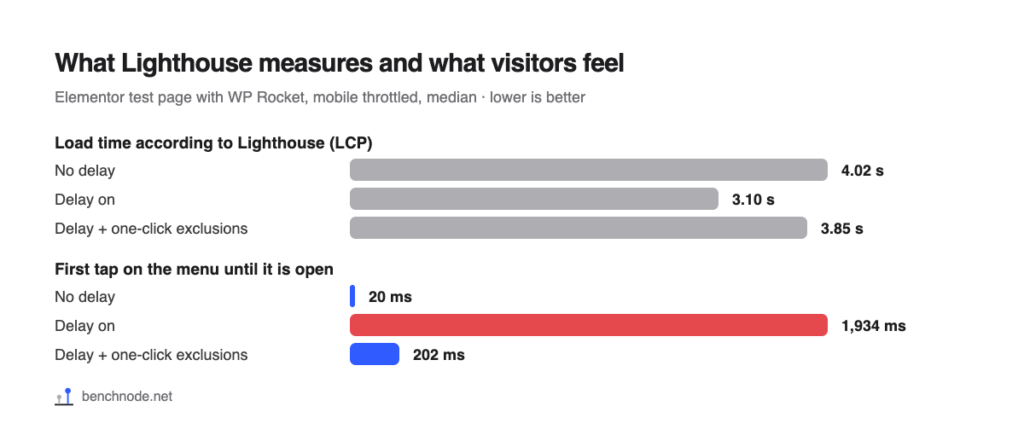
The first row looks like a clear win. The last row shows the price: without exclusions, WP Rocket only loads the 14 held-back scripts on the first tap, and in all 10 attempts the menu opened only after 1,901 to 2,002 ms. With the one-click exclusions, Elementor started right away and the menu opened after 182 to 317 ms. Noticeable, but not a problem.
What Lighthouse does not see
Lighthouse loads the page and watches. It never taps, never scrolls and never moves a mouse. With “Delay JavaScript execution”, WP Rocket therefore does not load the scripts at all during the whole test. The page looks lighter and faster than it is for real visitors. They still load the scripts on their first tap, just later.
You can see it in the numbers: with delay, Lighthouse counted 11 requests and 432 KB; without delay, 35 requests and 730 KB. The scripts are missing from the test, but they do not disappear. By the way, Total Blocking Time (TBT) was at most 5 ms in all three states. So there was practically nothing for “delay” to improve.
What is affected on an Elementor page
Without exclusions, Elementor only starts after the first interaction. On our test page that meant: the testimonial slider stood still, the menu responded late, and accordion and popup only worked once the scripts had loaded with the first interaction. Our test page has no entrance animations. They also depend on Elementor’s JavaScript, though: as long as it is not running, such sections stay invisible. Check this on your site, especially if you use animations near the top of the page.
If you want to use the option: one-click exclusions
WP Rocket ships ready-made exclusion lists. With them, Elementor’s scripts run right away and everything else stays delayed.
- Open Settings → WP Rocket → JavaScript & CSS.
- Under JavaScript files, turn on Delay JavaScript execution.
- In the One-click exclusions, under Plugins, select the entries for Elementor and Elementor Pro, and for Elementor Pro also SmartMenus (the menu).
- Click Save Changes and Optimize at the bottom.
- Then check your site with the checklist below.
Checklist after turning it on
- Open your site on your phone in a private window, so nothing comes from the browser cache.
- Do not touch the page for five seconds. Is the slider moving? Are all sections visible, including those with an entrance animation?
- Then tap the menu icon. Does the menu open right away?
- Open a popup, an accordion and the form.
- Repeat this on two or three more pages, especially ones with sliders or popups.
Our recommendation
Leave “Delay JavaScript execution” off on an Elementor site. The gain exists mostly in Lighthouse; for real visitors the page responds more slowly on the first tap. If you still want to use it, for example because you have lots of third-party scripts like chat or analytics, then only with the one-click exclusions for Elementor and with the checklist above. Everything else about the setup is in WP Rocket settings for Elementor.
For the technically curious: setup and raw data
- Lab: WordPress 7.1.4, PHP 8.4, Hello Elementor 3.5.2, Elementor 4.3.6, Elementor Pro 4.3.2, WP Rocket 3.24, shared hosting at All-Inkl. Reference page with hero image, icon boxes, testimonial slider, gallery, accordion, form and popup. Methodology
- States: “No delay” = our recommended setup (Remove unused CSS, Load JavaScript deferred with jQuery excluded, LazyLoad, image dimensions, preload fonts, self-host Google Fonts). “Delay on” = plus
delay_js. “+ one-click exclusions” = plus the exclusions Elementor, Elementor Pro, Elementor Pro – SmartMenus and Elementor – Lazy Load Background Images. - Lighthouse 13.5.0, 5 runs each on mobile (throttled) and desktop, median. Before each state, “Remove unused CSS” had finished processing, and we checked that the delivered CSS was complete (146 to 147 KB).
- Transparency: the first version of November 8 was based on measurements in which the used CSS was empty (behind our lab password, the WP Rocket service could not fetch the CSS files). The old data is archived; all values here come from the repeat run with complete CSS.
- First tap: 10 fresh browsers per state, mobile with the same throttling as Lighthouse (4x CPU, 150 ms latency, 1.6 Mbit/s). Load the page, do nothing for 3 seconds, then tap the menu icon once. We measured the time from the tap until the menu was open.
- No interaction: load the page and do not touch it, then check whether Elementor has started, the slider is running, how many sections are still waiting for their entrance animation and how many scripts are still being held back.
- Raw data: rohdaten.csv. Measured on November 8, 2026.